


Vibration Monitoring
Vibration Monitoring section allows users to view the vibration asset summary based on various factors such as Event Start Time and Event End Time along with date, Location, Failure Mode, and so on.
To access Predictive Maintenance Workplace, go to Genix Platform > Digital App Center > My Apps > APM Model Configuration and Deployment > Monitor and Optimize > Vibration Monitoring.
The Vibration Monitoring section enables the users to perform certain basic operations such as:
-
searching an asset,
-
filtering assets based on certain fields like Failure Mode, Fault, Location, and Condition Type.
-
sorting assets based on various factors like Event ID, Condition Type, Failure Mode, and so on.
-
drilling down a specific asset to view and acknowledge its Event Details.
-
analyzing the health and comparing the Vibration Parameter with the Process Parameters.
Users can view and analyze the Vibration Spectrum Health using the Spectrum and Waterfall charts.
The “Top Tiles” displays the total number of assets available under each category.
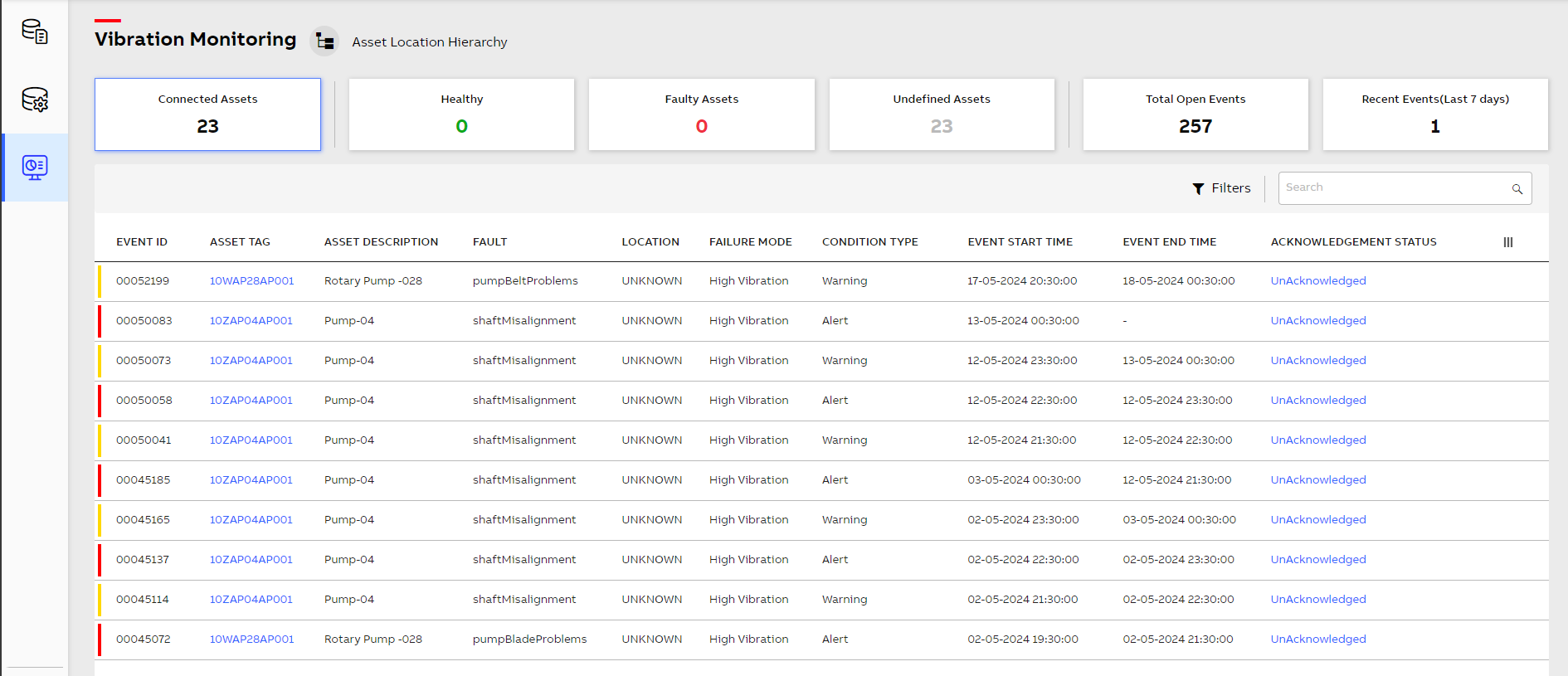
Vibration Monitoring Landing Page